Create a clear, updateable menu with allergens
Upload a photo or PDF. AI suggests EU allergens for each dish, you review them and publish the QR menu. The Free plan does not expire and needs no credit card.

Free forever · No card · 1 menu · 50 dishes · 2 languages
All 14 EU allergens, visible in the menu
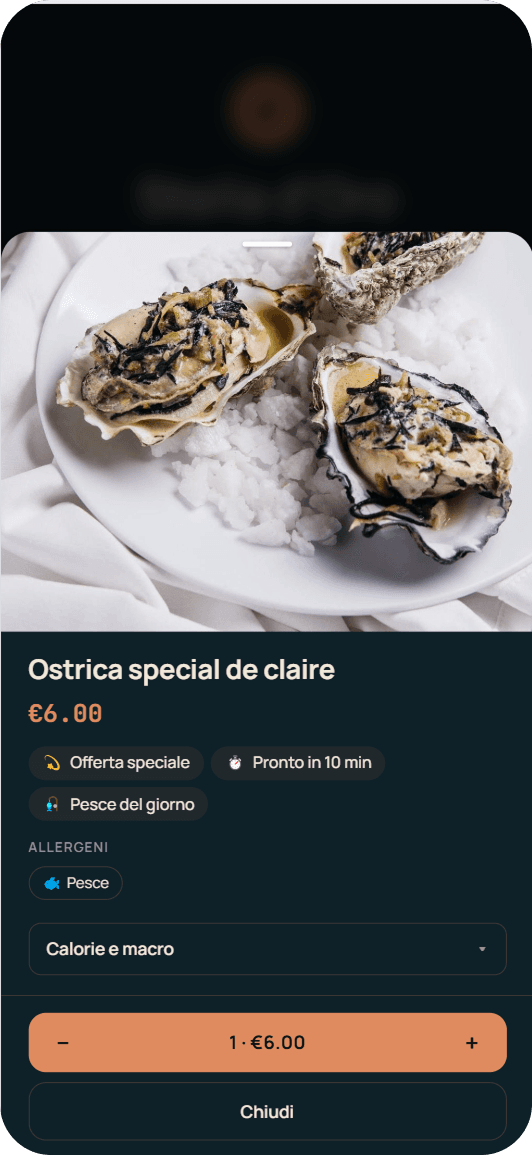
Each allergen is shown in the dish card, in all menu languages.
From AI to plate, under your control
Upload your menu
Photo or PDF: Stello transforms it into an organized digital menu.
AI suggests allergens
Suggests the 14 EU allergens for each dish, automatically.
Confirm and correct
Review in one tap: you have the final say.
Publish
Allergens appear in every card; update online, same QR.
From the dish to its allergen card
For carbonara, AI may suggest gluten, eggs and milk from pasta, eggs and pecorino. The restaurant compares the suggestion with the recipe and product sheets, then confirms or corrects it.
How Stello manages allergens
Reviewed information, ready for your guests
Regulation (EU) 1169/2011 requires allergen information to be available for non-prepacked food too. Stello organizes it in the menu; the restaurant checks it against recipes, substitutions, kitchen procedures and the risk of cross-contact.
Allergens and dietary preferences: information for choosing a dish
Allergens indicate substances that can cause allergic reactions. Dietary preferences help guests find dishes consistent with their eating style or needs.
Labels describe the dish. To confirm whether it is suitable for a guest with an allergy, the restaurant checks ingredients, preparation and the risk of cross-contact.
How allergen information appears in your menu
- Allergens in the document or a separate key
- Guests read the information in the layout
- Translations added to the document
- Updates made to the file or printed copy
- EU allergens in every dish card
- Guest sees them before ordering
- AI translations in 15 languages from Base plan
- Update online, same QR
Clear allergens, more informed guests
Create your QR menu with EU allergens and translations. Start with the Free plan and keep the same QR code as your menu changes.